



Quick answer: The Sandbox Smart R1 roasts up to 150 g per batch via Bluetooth-controlled quartz heating and saves up to 10 custom profiles. The R2 steps up to 550 g batches with a 900W drum at 90 rpm. Both give you real-time roast-curve tracking that most home roasters under $1,000 don't offer. The R1 is the right choice for 1-2 people; the R2 for households roasting 400 g or more per week.
Most home roasters make you choose between control and convenience. The Sandbox Smart line skips that trade-off. You get a drum roaster with a Bluetooth app, logged roast profiles, and adjustable fan speed, drum RPM, and temperature, in a machine that fits on a kitchen counter. Here's what actually matters when you're deciding between the R1 and R2, and where each one falls short.
What is the Sandbox Smart Roaster?
The Sandbox Smart is a home coffee roaster built around a rotating drum, quartz heating elements, and a Bluetooth-connected app. You control fan speed, drum RPM, temperature, and roast duration from your phone. It saves up to 10 distinct roast profiles, so once you've dialed in a Guatemalan natural at City+ roast, you can replay that exact curve next week without guesswork.
The core difference from a fluid-bed (air) roaster like the Fresh Roast SR800: the drum tumbles beans over a heat source rather than suspending them in hot airflow. That gives you more Maillard-window control and handles natural-processed and honey-processed beans more forgivingly than most air roasters do. The trade-off is more maintenance (drum and probe cleaning), more weight, and a longer heat-up time.
R1 vs R2: which one do you actually need?
The Sandbox Smart R1 handles 100 g batches comfortably; operator reports on the Home-Barista forum put the usable ceiling at about 150 g before drum-temp probe drift starts affecting the curve. That's roughly 10-12 cups per batch. It's the right machine if you're roasting for one or two people, working through a few origins a week, or you want a logged curve without committing to a machine over 12 kg.
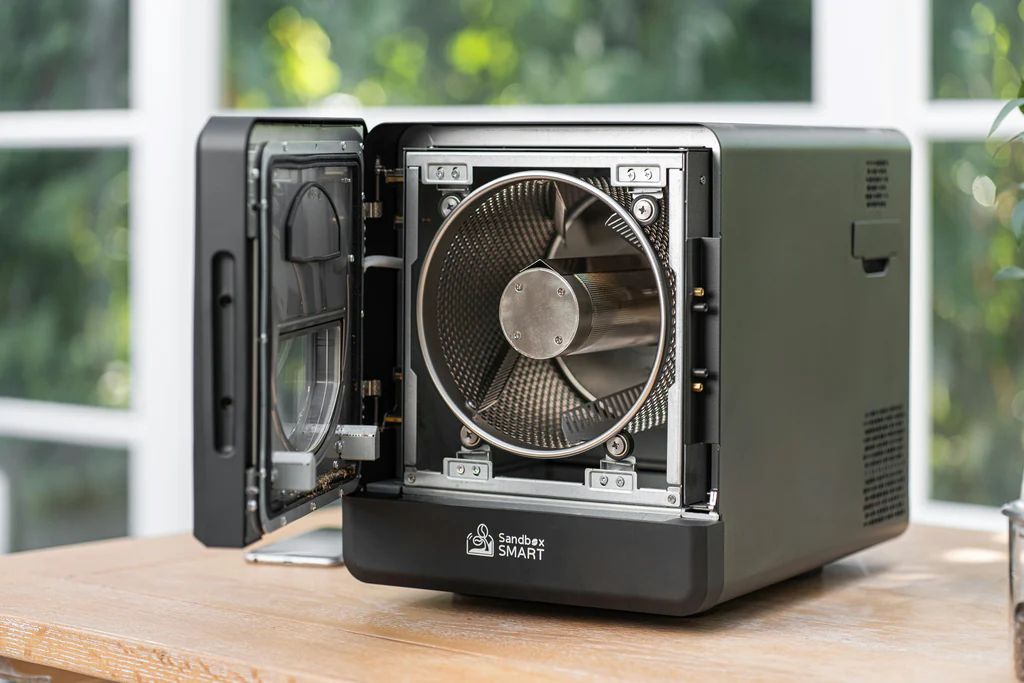
The Sandbox Smart R2 is the upgrade for households that drink more. Its 900W drum motor spins at 90 rpm with up to 550 g per batch, a large transparent viewing window for real-time color reading, and the same Bluetooth-driven profile system. The R2 also adds a patented inlet door and output latch that make loading and dropping beans faster than the R1's process, which matters when you're running back-to-back batches.
One thing most comparison posts skip: the R2 weighs 12 kg (25 lbs). If you plan to store it in a cabinet and bring it out for each session, that gets old quickly. The R1 is lighter and easier to move. For dedicated counter space in a kitchen that roasts twice a week or more, the R2 earns its footprint. For occasional roasters or smaller kitchens, the R1 is the honest answer.
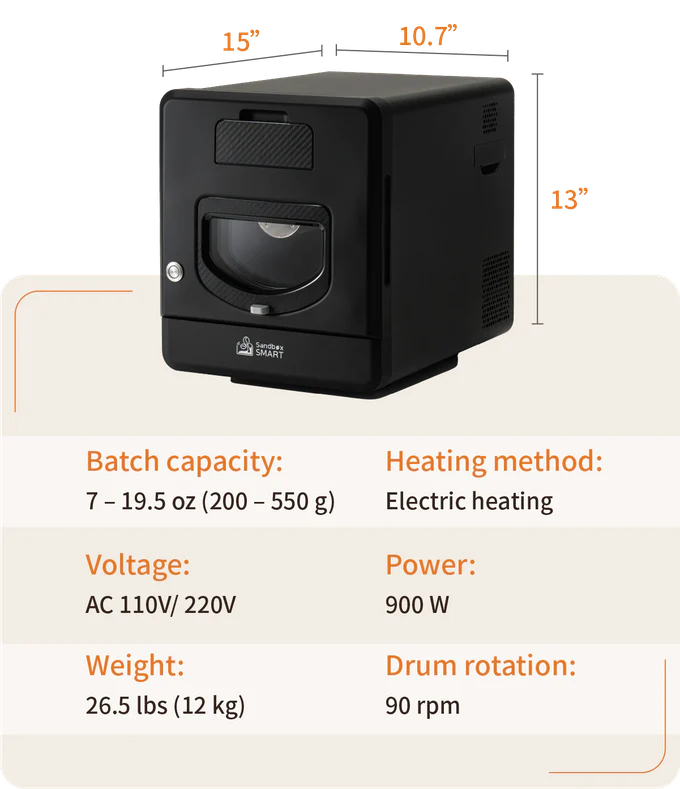
Sandbox Smart R2 full specifications
| Specification | R2 Value |
|---|---|
| Dimensions | L 38 × W 27.5 × H 32.8 cm |
| Batch capacity | Up to 550 g |
| Heating method | Electric (quartz elements) |
| Voltage | 110V / 220V |
| Power | 900W |
| Drum rotation | 90 rpm |
| Drum material | 304 food-grade stainless steel |
| Product weight | 12 kg (25 lbs) |
| Connectivity | Bluetooth |
| Bean tank material | CNS316 stainless steel |
| Outer case material | Aluminum alloy |
| Operating noise | Under 65 dB |
How does a Sandbox roast actually work?
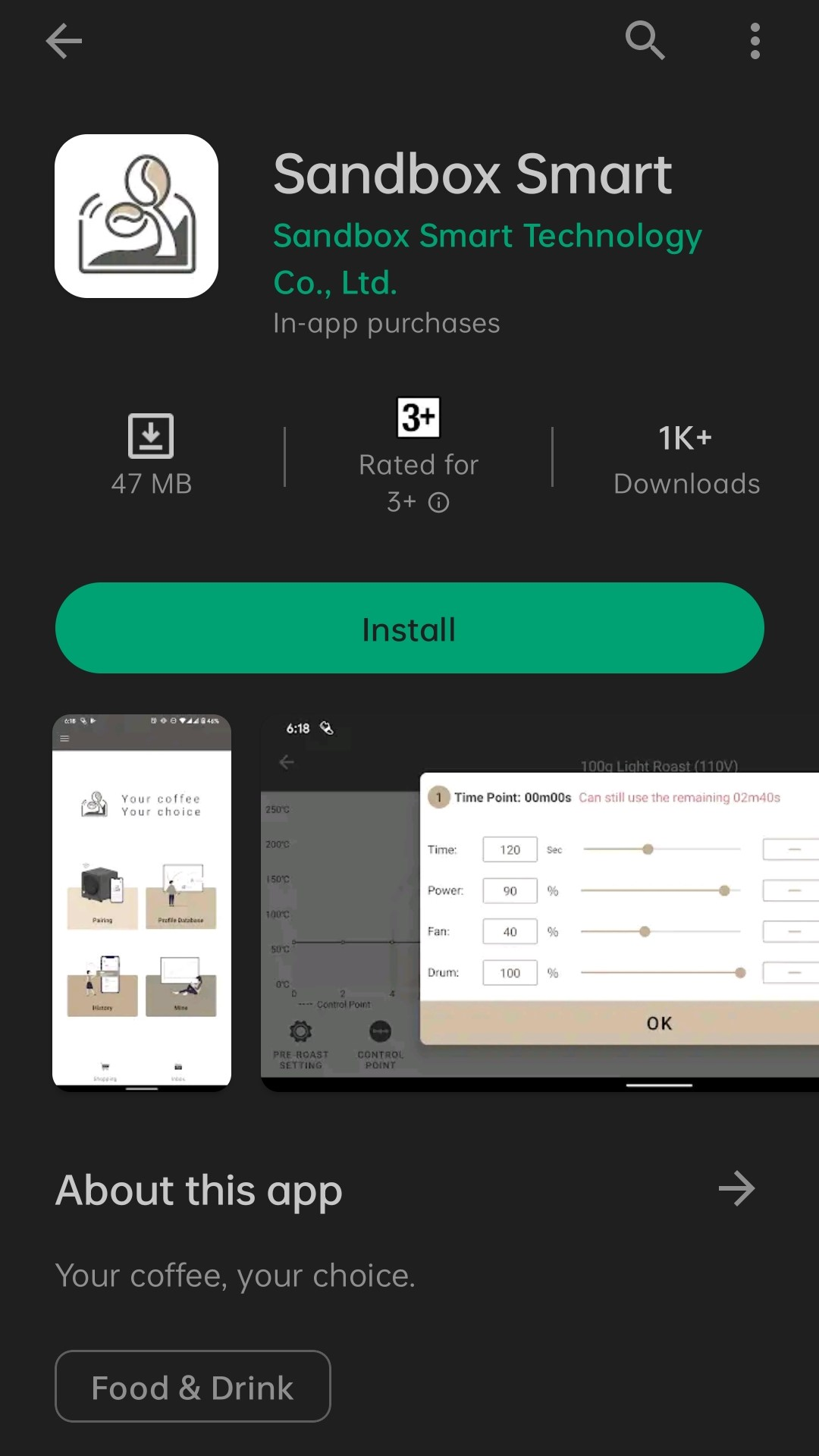
Load your green coffee beans, open the app, and select or build a roast profile. The app gives you independent control of fan speed, drum RPM, temperature curve, and total roast time. The R1 supports up to 10 saved profiles; once you know a washed Ethiopian Yirgacheffe roasts cleanly at 195°C with fan at 40% for 13 minutes, that profile is one tap away next time.
During the roast, the drum tumbles beans over quartz heating elements while the app tracks bean temperature in real time. You can watch the curve climb through the drying phase, yellowing, Maillard browning, and into first crack. The roaster cools beans automatically after the cycle ends to stop development before residual heat overshoots your target roast level. You can also adjust roast level variables on the fly mid-roast if the curve is running ahead of plan.
The R2 adds first-crack and second-crack detection markers you can set manually in the profile, so the app can log exactly when those events fired for future reference. That's genuinely useful if you're roasting the same origin across multiple bags and want to track how green bean density changes batch to batch.
The real drawbacks: what to know before you buy
The original article listed price, app dependency, limited bean capacity, and availability in an "expectations vs. reality" format that reads like a template. Here's what those actually mean in practice.
Price. The R1 and R2 sit above entry-tier air roasters like the Fresh Roast SR800 ($210 street) and in a different bracket from basic popcorn-popper conversions. If you're roasting once a month as a hobby, neither Sandbox machine is the right starting point. They're built for people who roast at least weekly and want a logged curve, not a first machine for casual use. If that's your situation, start with the SR800, learn first crack, then upgrade.
App dependency. Both models require the Sandbox Smart app for profile management. Bluetooth pairing on iOS 18+ has dropped mid-roast in some documented installs, requiring a power-cycle and re-pair before continuing. That's a real failure mode, not a theoretical one. Sandbox's support knowledge base documents the re-pair sequence, and the workaround works, but it's worth printing your two or three most-used profiles as a manual backup before you rely on the app for a batch you care about.
Drum-temp probe drift. Roasting oils coat the bean-temperature probe over time. After 80-100 batches, the same input setting can read 5-8°F lower than it did when the machine was new. The fix is cleaning the probe with a mild solvent every 20-25 batches. If you skip this, your "identical" profiles will gradually run darker without any change to your settings. Sandbox's care instructions cover this; most owners discover it the hard way first.
The R1's 150 g ceiling is real. The spec sheet says 120 g, operator reports say 150 g works. Push past that and drum-temp probe lag becomes a problem because the bean mass dampens the infrared response. If you regularly roast for four or more people, the R2 is the honest answer; the R1 isn't designed to be overloaded.
Where to buy
Both the Sandbox Smart R1 and R2 are available at CoffeeRoast Co., where they're stocked alongside the broader Sandbox Smart lineup including the C1 bean cooler accessory. The C1 cooler pairs with the R1 and speeds up the cooling cycle, which matters if you're running back-to-back batches within a session.
Frequently Asked Questions
What is the batch capacity of the Sandbox Smart R1 vs R2?
The R1 is rated for 120 g per batch, with operator-reported usable capacity up to about 150 g. The R2 handles up to 550 g per batch at 900W. If you're roasting for one or two people, the R1 covers daily use. For households drinking 400 g or more of fresh-roasted coffee per week, the R2 is the right size.
Does the Sandbox Smart roaster work without the app?
The Sandbox Smart line is designed around its Bluetooth app for profile creation, curve logging, and real-time adjustments. Without the app, you lose profile management and real-time monitoring. The machine will still operate, but you'll be running blind on temperature and fan speed. If Bluetooth drops mid-roast (a documented issue on iOS 18+), power-cycling and re-pairing restores control; keep a printed copy of your manual settings as a backup.
How loud is the Sandbox Smart R2 during roasting?
Sandbox specifies under 65 dB at operating distance for the R2, which is roughly the volume of a normal conversation. In practice that means you can hold a conversation in the same room without raising your voice. The quartz heating elements produce an audible hum during operation that's distinct from the drum motor. It's not silent, but it's quieter than most drum roasters in the same batch-size class.
How many roast profiles can the Sandbox Smart save?
Both R1 and R2 support up to 10 saved roast profiles in the app. Each profile stores roasting time, temperature curve, airflow settings, and drum speed. You can build custom curves and save them for specific origins, or use the preset Light, Medium, or Dark roast profiles as a starting point. Once a profile is saved, repeating it is a single tap.
What's the difference between the Sandbox Smart R1 and the Fresh Roast SR800?
The SR800 is a fluid-bed (air) roaster: hot air both heats and agitates the beans. It's faster, cheaper, and more forgiving as a first machine, but gives you less Maillard-window control and handles natural-processed beans less gracefully. The Sandbox R1 is a drum roaster, which develops more body and handles a wider range of bean-processing styles, at the cost of more maintenance, higher price, and a longer learning curve. If you've never roasted before, start with the SR800. If you've roasted 50+ batches and want logged curves and drum behavior, the R1 is the upgrade.
How do I clean the Sandbox Smart roaster?
The most important maintenance step is the bean-temperature probe. Roasting oils coat it over time, causing the probe to read 5-8°F low after 80-100 batches. Clean it with a mild solvent every 20-25 batches following Sandbox's published care instructions. The drum and chaff tray should be brushed out after each session. The outer aluminum alloy case wipes clean with a damp cloth; don't use abrasive cleaners on the viewing window.
Is the Sandbox Smart R2 worth the price over the R1?
If you consistently roast 300 g or more per session, yes. The R2's 550 g capacity and faster batch-to-batch cycle time pay for themselves in reduced roasting sessions per week. If you're roasting 100-150 g a few times a week, the R1 covers that without the extra weight, price, or counter footprint. The R2 is a household upgrade, not a beginner upgrade.
Key takeaways:
- The Sandbox Smart R1 roasts up to 150 g per batch with Bluetooth-controlled drum heating and 10 saved profiles; the R2 scales to 550 g at 900W for higher-volume households.
- Both machines log real-time roast curves via the app, which is the feature that separates them from most home roasters under $1,000.
- App dependency is a real consideration: Bluetooth dropout on iOS 18+ is a documented issue; keep printed manual settings as a backup.
- Clean the bean-temperature probe every 20-25 batches or your profiles will gradually run darker without any settings change.
- Choose R1 for 1-2 people roasting weekly; choose R2 if you're consistently running 300 g or more per session.


Leave a comment